 Stippla
Point cloud drafting for AutoCAD and BricsCAD
Draw existing buildings straight from the scan.
Stippla brings laser scans into AutoCAD and BricsCAD and helps you turn them into plans, sections and elevations. Slice the cloud, snap to real points, and let it draw the walls and windows for you.
14 days free, starting at your first import. No card, no account.
From scan to drawing
The measured-survey workflow, inside your CAD program
Everything happens on the Stippla ribbon tab, in the drawing you are already working on.
Bring the scan in
 Import any common scanE57, LAS, LAZ, PTS, PTX, XYZ and PLY become a fast cache the first time; opening it again is instant.
 Square it upPick the floor and one wall. Stippla fits both to the scan and sets a plan view square to the building.
Cut what you need
 Slices and wall clipsA thin slab at any height, or click a wall for an elevation clip square to its face.
 Clipping ManagerNamed clips and groups saved in the drawing, switched on and off with one click.
 Plan and section slidersDrag a cut through the building and watch the plan change.
Draw it
 Floor PlanPick the floor: wall lines for the whole floor, openings kept, corners cleaned up.
 Sections and elevationsDraw a line in plan and get section linework, flat or in place.
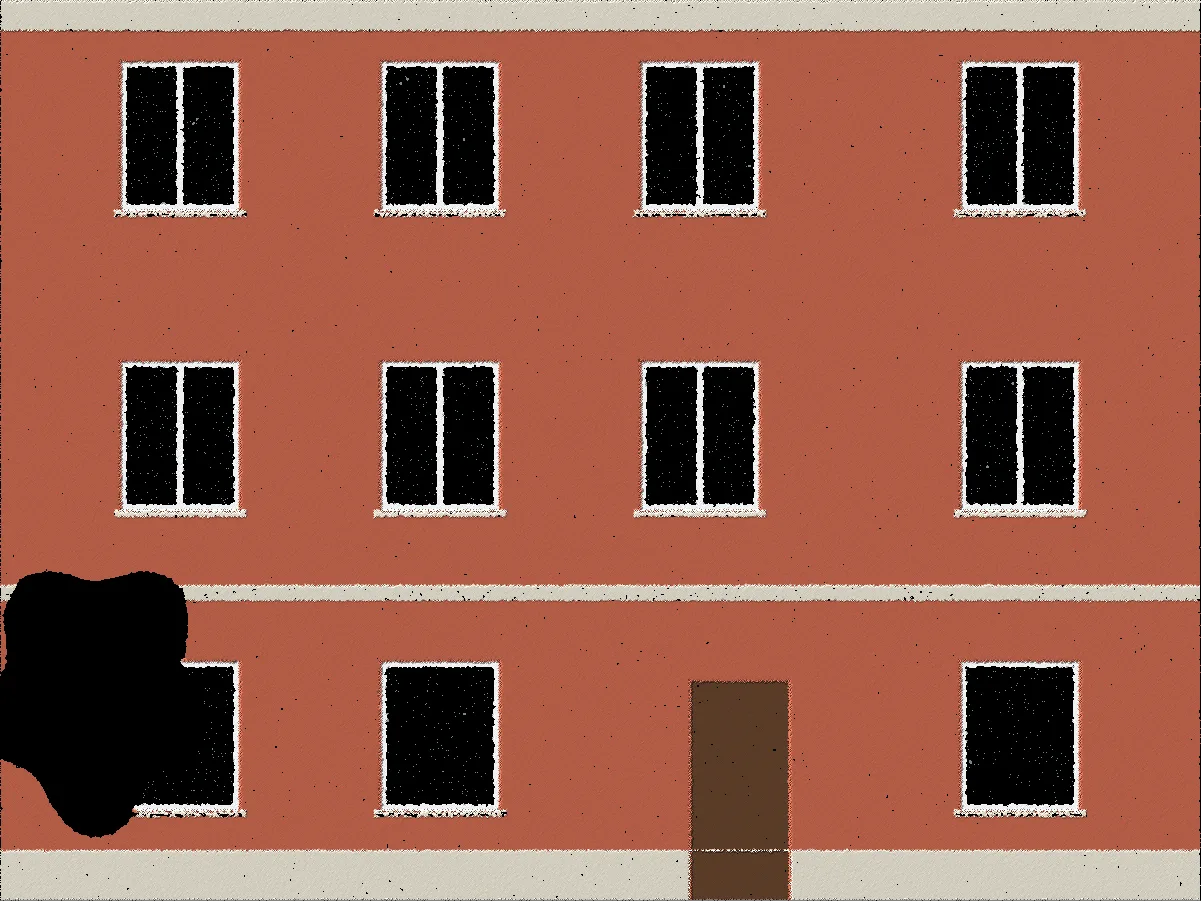
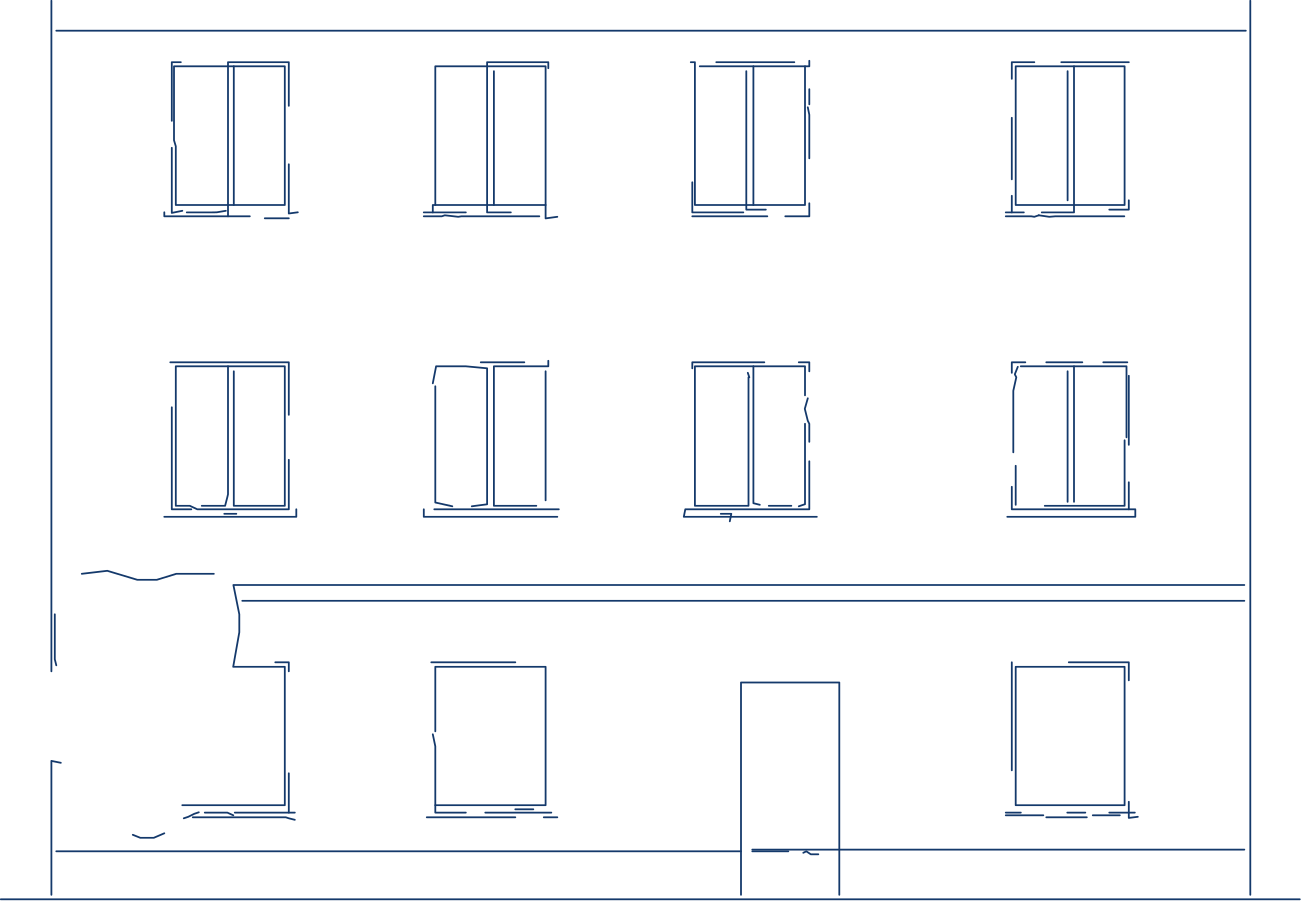
 Facade TraceClick a facade: outline, windows and doors as blocks, string courses and cornices.
Check and measure
 Point snapSnap to real scan points in every pick.
 Spot levelsLevels fitted to the floor, written in ±0.00 style.
 Room heightsFloor-to-ceiling heights from the scan, not a single point.
Facade Trace
One click on the facade, a drawing you can edit
Stippla reads the facade straight off the scan and draws it as clean CAD linework: windows of the same size become one block, and anything it is unsure about is marked for you to check.
- Fast on big scansWhile you pan or orbit, only what is on screen is drawn; full detail returns the moment you stop.
- Works with what you haveClouds AutoCAD attaches natively (RCP/RCS), plus the formats Stippla imports itself.
- Your drawing stays yoursOutput is ordinary lines, polylines and blocks on named layers. Nothing needs Stippla to open later.
Free with every Stippla, and on its own
Stippla Viewer: send the scan, not a screenshot
A point cloud viewer for Windows that runs without installing anything. Give it to clients, contractors or colleagues who don’t have CAD.
- Opens E57, LAS, LAZ, PTS, PTX, XYZ, PLY and Stippla caches
- Orbit, walk, plan and perspective views, view cube, clip box
- Plan and section slices, site plan with scan positions
- 360° views at each scan position when the file has images
 Free · no licence
Stippla Viewer
One program file. Double-click it and open a scan.
Download Stippla ViewerTrial
The trial starts when you start, not when you install
Install Stippla today and try it when the next survey lands on your desk.
Install
Nothing counts down yet. No card, no account, no sign-up.
First import
Your 14 days begin the first time you bring a point cloud in.
Keep going
Pick a plan and paste your licence key. Drawings you made in the trial stay exactly as they are.
Questions
Before you download
Which CAD versions does Stippla work with?
AutoCAD 2025, 2026 and 2027 (including AutoCAD Architecture), and BricsCAD V25 and newer, on Windows 10 and 11.
Do I need ReCap or another program?
No. Stippla reads E57, LAS, LAZ, PTS, PTX, XYZ and PLY itself. RCP/RCS clouds that AutoCAD attaches are supported too; some tools that need the actual point coordinates work best on an imported copy of the same scan.
Does Stippla need an internet connection?
No. The licence is checked on your PC, offline. Stippla only goes online to see whether a new version is out, and you can switch that off.
What about Leica LGS files?
LGS is Leica’s closed format. Export E57 from Cyclone REGISTER 360 and open that in Stippla.
Can I use one licence on two computers?
A licence key is made for one PC. Moving to a new PC? Send us its machine code and you get a replacement key.
Does Stippla collect any data?
No usage data, no tracking. See the privacy policy for exactly what is and isn’t stored.
Try it on your next survey
14 days free from your first import.